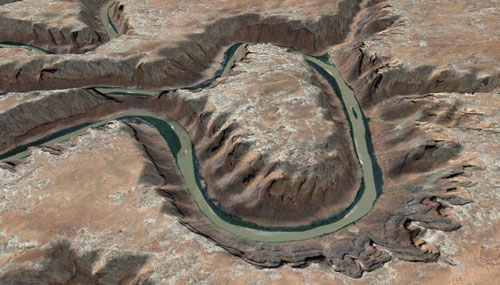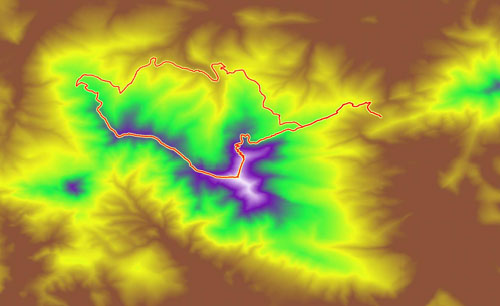
Results from three different trail finding algorithms
Finding roads in images is hard. Finding trails is even harder. But we’ve taken the first crack at it.
There’s a wealth of original research on extracting roads from aerial and satellite images. But no one has studied the more interesting problem — can we program a computer to find and follow narrow and twisty trails?
That has been the question of ongoing research for us, and the results have been accepted to 2008’s Computer Vision and Pattern Recognition conference. CVPR is one of the top vision conference, with competitive acceptance rates.
The answer is that we’ve made some progress and things look promising, but we are a ways off from an automatic trail extractor. Computer Vision, as a field, is a challenging one, and it’s often difficult to write software that can even approximate the recognition ability of the human vision system and brain. It makes it an exciting and rewarding area of study.
TopoFusion was used throughout the research effort. It provided the testbed, visualization and access to Terraserver’s database of aerial photos. We trained the model using aerial photographs from across the United States (using GPS data collected by Scott on his Great Divide Trip). Having access to this data proved quite handy, and improved the applicability of the techniques developed.
You can read the full 8-page paper here:
FindingTrails-cvpr08.pdf [PDF, 1.4 mb]

At TopoFusion, we’re all about the ride.
Exploration, adventure, exercise… exhilaration.
TopoFusion author Scott Morris has been logging his rides on his diary since 2003. We love ride reports.
So we’re running a little promotion. Post a ride report in the new Trail Talk forum on or before May 16th, 2008. We’ll choose our favorite and the winner gets a free copy of TopoFusion. And everyone will get a 15% off coupon code just for posting.
Note: it doesn’t need to be a ride! Could be a hike, a run, a mountain climb, a 4×4 excursion, etc. Any adventure will do.
Details are on the forum..

The Arizona Trail 300 is a self-supported mountain bike race covering 300 miles of the Arizona Trail in southern Arizona. It’s pretty unique among today’s endurance events in that competitors are completely on their own during the ride. Things like outside support and caches are not allowed.
No other self-supported race provides competitors with an official GPS route to follow. This allows racers from out of state who are completely unfamiliar with the trails used to not only stay on course but be competitive.
You can download and check out the course in full detail by going to the AZT 300 GPS Page.
TopoFusion software was once again used to do all the GPS data crunching. This includes cutting, merging and cleaning up the data (2008’s course features more freshly built Arizona Trail). Finally, TopoFusion’s simplify and split features were used to make a ready-to-upload GPX file (a 20 track, 500 point file).
The race goes off April 18th, 2008 at 9am. TopoFusion author Scott Morris holds the course record at 2 days and 17 hours. With strong local and out-of-state riders expected to show (there is no registration, no fees, no race organization whatsoever) there is a good chance that someone will make a bid for the record.
Watch Scott’s diary for a race report after he’s had a few naps and consumed a few thousand recovery calories.

Even if you’re not able to get out for 300 miles, we hope you’re getting a chance to enjoy the beautiful spring weather. It’s a great time to be out on the bike.
We released a minor revision of TopoFusion Pro today. It clears up a few issues that have arisen since V3.31 which is otherwise quite stable.
Details:
3.32 - [4/9/08] (Full Release)
Fixed power .CSV import for iBike exports (no torque info)
Fixed possible crash with “interpolate GPS at 1 sec intervals” function
Fixed min/max computation for grade (was setting cut-off based on average
uphill grade and average downhill grade)
Weakened grade and speed smoothing in profiler (smoothing options to come)
Fixed added waypoint fields in Lap Analysis (were always coming out as
“stopped time” style waypoints)
Changed Saved Tracks to display “No time” instead of “Dec 31, 1989”
Added distance field to CSV exports (for RaceDay software)

With the release of version 3.31, TopoFusion becomes the first mapping application to be power enabled. What does this mean? Well, first, TF supports the new Garmin Edge 605/705 units, which can store cycling wattage data with each GPS point (in new power enabled TCX format).
Don’t have a 705 yet? No problem, also in this version of TopoFusion an exclusive new feature - GPS and Power data syncing. Simply load up a GPX file for your ride and point TF to a .CSV (comma separated file) with your PowerTap data and TF will do the rest.
Once you have power data married with location (GPS) data, you can do things like: shade tracks by power, profile by power and look at average and max power over specific intervals.
For more information head over to this tutorial on Mapping Power in TopoFusion.
Power features aren’t the only new thing in TopoFusion Pro Version 3.31. We’re continuing to push the program further, so download the latest free/demo version here:
TopoFusion Download Page
Or, registered users refer to their registration email for download instructions. If you’ve lost the download URL or your name/code, you can request it here:
http://topofusion.com/lostcode.php
Previous versions of TF could only export a 3D view limited by the resolution of your monitor. Now with version 3.31+ you can arbitrarily set the size of the export - up to 8192×8192 on recent video cards!
Here is a (large) example of a high res export from the Wasatch Mountains. This will appear in the next issue of BIKE magazine. It shows the route of a five day singletrack trip.

(Warning - large file - 2.5 mb jpg)
The Landsat tiles are really great for large scale 3D views like this. Google Earth has some great high res imagery, but you get a nasty “patchwork” effect when you try to look at too much terrain at one time. Landsat is very consistent.
Also check out the “Texture Detail” setting, new in v3.31. This greatly improves the quality of 3D views in TF.

Adventure cyclist Mike Curiak asked us here at TopoFusion to help track his latest journey. He already holds the human powered world record for the Iditarod trail. Now he’s going back and trying to ride the whole thing completely unsupported. That means he’s carrying all the food, water, gear and muscle needed to travel all 1,100 miles to Nome.
Racers in the Iditarod Trail Invitational (who travel the trail by bike, foot and ski) have the “luxury” of staying in various lodges and checkpoints along the way. They pick up drop bags, buy food and perhaps most importantly, warm up! But Mike will be forgoing all that, testing the limits of what has been done with human powered winter travel.
He is carrying a findmespot beacon, which (if all goes well) will send a breadcrumb point every 10 minutes. We’ll be able to load these points (Spot’s site exports GPX files) in TopoFusion and view his progress. We’ll also be able to do things like track playback and speed computations.

Head on over to Mike’s blog to get the latest update on his progress, using TopoFusion software:
lacemine29.blogspot.com
Version 3.23 was released today.
Major changes:
* Due to a change in the server, version 3.20 can no longer download Canadian Topos. The latest release fixes this.
* Extensive support for Edge/Forerunner units:
- downloading HR/Cadence data
- profiling HR/Cadence
- track shading by HR/Cadence
- save/load files in .TCX/.CRS
- upload tracks as “Courses”
Example of Heart Rate shading with corresponding HR profile:

* More FUSION in your TopoFusion. You can now choose the tilesets you wish to combine in combo mode. Examples include tiger/aerial, urban/aerial, urban/topo, etc. Look for the tileset dropdowns in the Image Processing dialog.
Example combo Urban/Tiger tilesets:

* Smart merging of tracks - less use of the “reverse last segment” feature.
* The profiler in general got a makeover and is now more useful.
* Check out the “moving intervals” analysis in the Lap Analysis menu. I’ve been having fun placing waypoints labeled with the amount of time spent stopped on my GPS tracks. The results are sometimes quite surprising!
* many smaller additions, tweaks and general improvements.
Full the revision list

At over 2100 miles, the Appalachian Trail pretty much defines the word “epic.” The original thru-hiking trail, it attracts thousands of adventure seekers each year.
TopoFusion was approached to undertake the difficult task of profiling the entire AT. We didn’t have to hike the entire trail, but there was quite a bit of data processing and extension of the software. All fun stuff as long trails like this really capture our interest and imagination.
The result is above — the entire AT profiled to high detail. According to Climbing Analysis, there’s over 500,000 feet of climbing on the trail. Think about that number for a while. That’s a lot of vertical.
Anywho, the profiles can be seen in the latest and greatest hiker’s handbook to the trail, Appalachian Pages by David Miller. The profile lines are watermarked vertically behind the mileage cues and narrative, giving a very handy reference while out on the trail. Check it out.

We’ve made the AT GPS data available for download from TopoFusion. This includes GPX and KML files for both the entire trail and all the shelters. Head over to:
Appalachian Trail GPS Page
TopoFusion Pro version 3.20 was released today.
Two new map servers have been added to the available imagery in TopoFusion:
1 - Canadian Topo Maps

2 - TIGER street data for the United States

These two image types come from different map servers, separate from both Terraserver and OnEarth. The future is looking bright for public domain, public access map servers!
For other additions see the revision history:
http://topofusion.com/revhistory.php
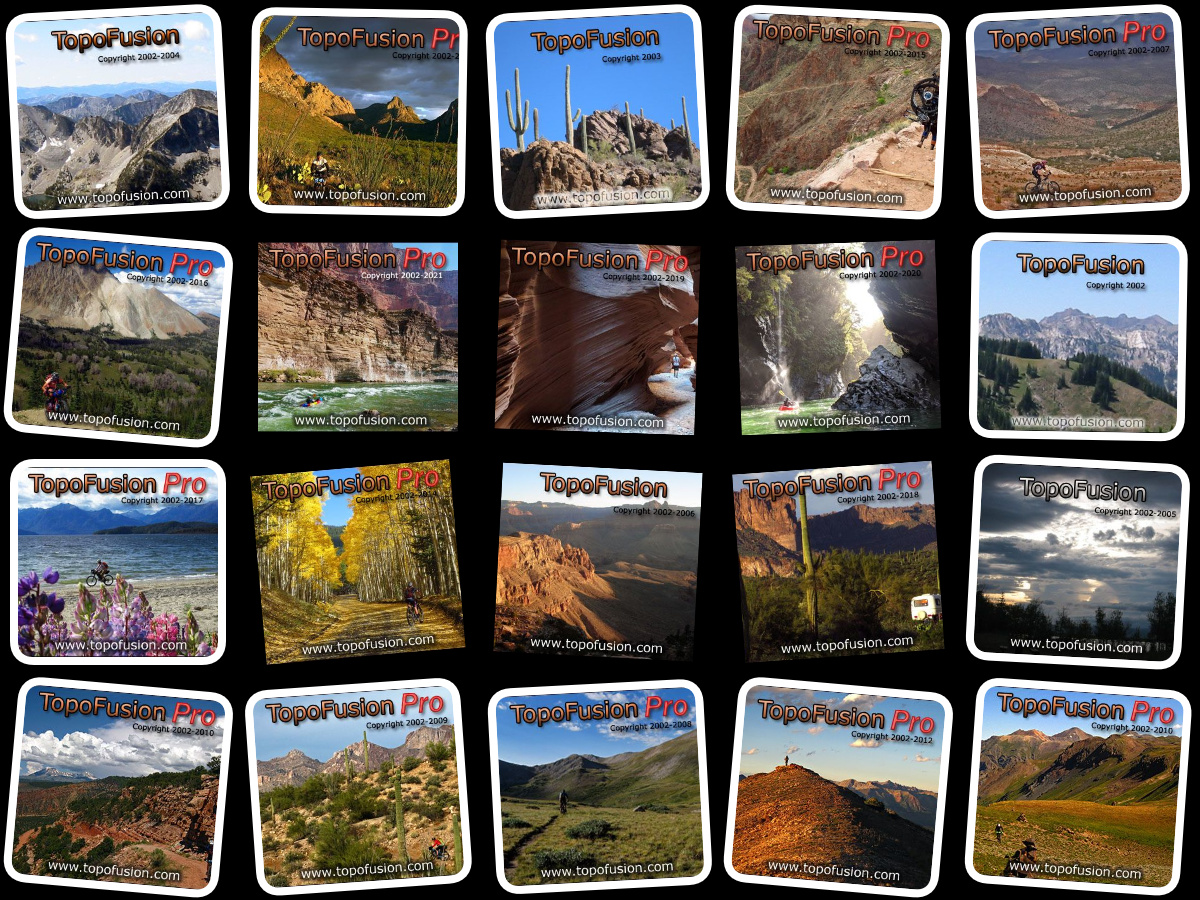
We also put together a fun page showing the history of the TF splash screen:
http://topofusion.com/splash.php
For registered users, remember that you can get both your name/code and the download URL by requesting an automated “lost code” from:
http://topofusion.com/lostcode.php
(Recall that the demo version cannot be registered)